

Sngine 4.2 The Ultimate Social Network Platform
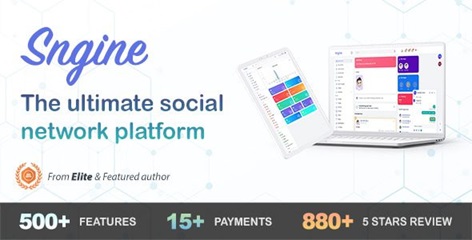
Sngine is a PHP Social Network Platform is the best way to create your own social website or online community
Premium WordPress Plugins. Join membership for Free Download
Sngine Social Network Scripts Features
- Friends Users can add others as a freind
- Follow/Unfollow Sngine also support following system like Twitter/Facebook
- Real-Time Real-Time Newsfeed, Chat, & Notifications and Profile Updates
- Share Users can share any public post on Sngine
- Smart Publisher Publisher auto-scrap
- YouTube, Vimeo, SoundCloud Users can share links from these media
- Notifications Get notifications from other users when they: Like, Share, Comment, or @mention you
- Sound Notifications for New Notifications & Messages
- Privacy users can change thier privacy settings anytime
- #Hahtags Post #hashtags in posts, comments and chat conversations
- @mention user can mention thier friends
- Photos upload images and have them displayed as a gallery.
- Groups Stay in touch with the group members and share stories with them.
- Pages User now can create pages like Facebook.
- Smiles / Emoticons (smiles) in Messages, Comments and Chat.
- Mange Blocks Users can block other users preventing them from chatting with each other.
- Awesome Profile with Covers and Avatars for user/page/group profiles
- Verify Badge Now profile and pages support verify badge
- Unified Search Box Live search for #hashtags, posts, pages and groups
- See More option for cut long-text post like Facebook
- Retina Display Ready Responsive Design
- SuggestionsFriends suggestions (for new users), Pages to like, Groups to join
- Portable so you can run it at any hosting easily
- Ajax Powered system
- We build it with pure PHP with code easy to follow, so developer could customize it
- SEO SEO Friendly Urls
- System Shutdown Turn the entire website On and Off
- Registration Enabled Turn registration On and Off
- Send Activation Email Enable/Disable activation email after registration
- SMTP Emails Enable/Disable SMTP email system
- reCAPTCHA Enabled Turn reCAPTCHA On and Off
- Multi-Language multi language platform using ‘gettext’
- Manage Translations: Admin can add/edit/delete language translations
- Cache System Advanced caching system for all system and the view templates which guarantee fast loading for the whole website
- Manage Users Manage your members, edit thier profile details, and verify anyone of them
- Manage Pages Manage pages that your members created, verify anyone of them
- Manage Pages Categories Admin can add/edit/delete different categories for pages
- Manage Groups Edit or Delete user created groups
- Reports Manage reports by your members
- Manage Verified User/Pages Admin can make any user/page as verified.
- Static Pages Admin can add/edit/delete static pages like about, privacy, terms …etc
- Ads System Admin can add/edit/delete ads for the entire system with different locations.
- Manage Themes Admin can add/edit/delete themes
- Advanced Statistics Statistics about User Registrations, Messages, Comments, Reported Messages & Comments, Likes
- Set Min/Max Results Admin can set Min/Max number of results per request
- Sngine AP
- Sngine requires Apache Server, PHP 5.5 and MySQL to run
How to install & use the scripts
To start using the product, you will need to install it on your server
You may need help to do this. You can hire us for assistance if necessary. Please contact us!
Please refer to the product documentation page for information on services and how to configure the software (it should be available).
How to install the PHP Laravel Software Product:
- Log in to your cPanel account.
- Go to .File Manager interface (Files >> File Manager).
- Navigate to the
public_htmldirectory by double-clicking on the folder icon. - Click Upload.
- On the next screen, choose Select File.
- Browse to the
.zipfile and click Select File. - When the
.zipfile is uploaded, click Go Back to "/home/username/public_html". You will see the newly-uploaded.zipfile in thepublic_htmldirectory. - Right-click the
.zipfile and choose Extract. The system will prompt you for a destination. - Choose a destination, and then click Extract File(s). In typical installation, it is extracted to the
public_htmlfolder.
Creating the Database
Next, you will need to create the MySQL® database to use for the WHMCS installation.
To do this
1. In cPanel, go to the MySQL Database Wizard interface (Databases >> MySQL Database Wizard). This interface will guide you through the process of creating the my_app database.
2. Use the interface to choose a database name, username, and password, and to set permissions.
3. When you reach the Privileges section, choose All Privileges.
4. In a separate browser tab, go to www.example.com/mydir/install/, replacing example.com with your website address.
5. Read and click Agree for the End User License Agreement.
6. Follow the instructions in each step of the installation process to provide your database information, license key, and other information.
7. To finish, click Complete Setup.
8. When you see the Installation Completion page, remove the /install directory from your server. To do this, right-click the /install folder in cPanel's File Manager interface and choose Delete.
Before install Sngine please make sure that mysqli, mbstring, curl, intl PHP extensions & GD Library & Apache mod_rewrite extension and allow_url_fopen() & mail() functions are enabled on your server.
Changelog
History
== v4.2 == ( 20-12-2025 )
- [Updated] Documentation
- [Updated] System Security
- [Updated] System Optimization
- [Updated] Sngine PHP Dependencies
- [Updated] Sngine JS Dependencies
- [Added] Packages Payments History For User Settings
- [Added] Boosted Groups System
- [Added] Boosted Events System
- [Added] Plisio Payments
- [Added] Hidden Packages
- [Added] Admin Ability To Turn Digital Products On/Off
- [Added] AgeVerif Service
- [Added] Ads Videos
- [Added] Ads Reports
- [Added] Paid Modules
- [Added] Pro Packages Free Points
- [Added] Delete Notifications
- [Added] Reels Minimum Length
- [Added] Reels Maximum Length
- [Added] Videos Minimum Length
- [Added] Videos Maximum Length
- [Added] 5 More Affiliates Levels (Now 10 Levels)
- [Added] Event Distance
- [Added] Redirect to Messaging Mobile Apps
- [Added] Gifts with Points System
- [Added] Latest Blogs Widget
- [Added] Support Center (Tickets System)
- [Added] Ability to Enter Activation Code From Email
- [Fixed] Minor Bugs
- [Fixed] Orientation of Live Stream Recorded Videos
- [Fixed] Forums Descriptions Multiple lines
- [Fixed] Cropped images not deleted with profile photo/cover
- [Fixed] Story deletion now removes all media
- [Fixed] Adult images shown in user gallery and widget
== v4.1.1 == ( 15-09-2025 )
- [Fixed] Minor Bugs
== v4.1 == ( 31-8-2025 )
- [Updated] Documentation
- [Updated] System Security
- [Updated] System Optimization
- [Updated] Sngine PHP Dependencies
- [Updated] Sngine JS Dependencies
- [Added] Socket.io Support
- [Added] New Sound for Notifications, Chat Messages & Calls
- [Added] Handle Browser Cache Issues
- [Added] Event Type (Online|In Person)
- [Added] Exclude Past Events From Discover
- [Added] Event Creation Post
- [Added] Group Creation Post
- [Added] Languages Filter to Pages
- [Added] Languages Filter to Groups
- [Added] Languages Filter to Events
- [Added] Clear Pending Uploads To Garbage Collector
- [Added] Clear Pending Uploads To Cronjob
- [Added] Pushr Cloud Storage Support
- [Added] Custom Landing Wallpaper
- [Added] Enable/Disable Pro Users Widget
- [Added] Enable/Disable Pro Pages Widget
- [Added] Prioritizes Friends & Followings in Reactions
- [Added] Schema.org Support for Blogs
- [Added] Max Name Length
- [Added] Include Affiliate Link With Invitation Link
- [Added] MSG91 New APIs Support
- [Fixed] Minor Bugs
- [Fixed] Email Notifications Issues
- [Fixed] Custom Field Value With Mutiple lines
- [Fixed] Fake User Generator Random Image Issue
- [Fixed] Fake User Generator Gender Issue
- [Fixed] Cover Image Limit Error Issue
== v4.0.6 == ( 17-06-2025 )
- [Added] Cloudflare R2 Storage Support
- [Fixed] Minor Bugs
== v4.0.5 == ( 27-05-2025 )
- [Fixed] User IP When Running Sngine with Docker
- [Fixed] Watch Module When Newsfeed Caching Enabled
- [Fixed] User Access Checks When Approval System Enabled
- [Fixed] LiveStreaming Recording Issue
- [Fixed] Messages with Special Characters in Sngine Messaging Apps
- [Fixed] Minor Bugs
== v4.0.4 == ( 18-05-2025 )
- [Added] OneSignal Sections for Messaging & Timeline Apps
- [Fixed] Vkontakte Social Login
- [Fixed] Bypass allow_url_fopen Error
- [Fixed] Fine People with Location Issue
- [Fixed] Yandex Upload Issue
- [Fixed] Minor Bugs
== v4.0.3 == ( 08-05-2025 )
- [Fixed] Uploading Performance (Loading Issue)
- [Fixed] Delete Merits Category
- [Fixed] Yandex Upload Issue
- [Fixed] Backbalze Upload Issue
- [Fixed] Installer Check Issue
- [Fixed] Minor Bugs
== v4.0.2 == ( 05-05-2025 )
- [Fixed] Reels Issue When Newsfeed Caching Enabled
- [Fixed] PWA JS Error
- [Fixed] Minor Bugs
== v4.0.1 == ( 03-05-2025 )
- [Fixed] PWA IOS Banner Issue
- [Fixed] Chunk Uploads Issue
- [Fixed] Backblaze Upload Issue
- [Fixed] Cash On Delivery Issue
- [Fixed] Login Issue
- [Fixed] Minor Bugs
Files To Download
| File | |
|---|---|
| Sngine 4.2 The Ultimate Social Network Platform |
- Version 4.2
- Release Date 20-12-2025
- File Size 112.10 MB
- File Count 1
- Download 1
- Create Date 21-05-2025
- Last Updated 25-01-2026
Downloading Instruction
The Sngine 4.2 The Ultimate Social Network Platform PHP Script file(s) can be downloaded as a compressed file (zip, rar format).
File(s) you just downloaded can be uploaded directly to your server or WordPress, though some files may require extraction before installation. We ensure that all files are clean and safe, free from malware or viruses. Please remember that the downloaded file do not come with official support or updates. Using the official version is always recommended for security and stability.
Just click on the link (blue / green button in color) to download it to your computer.
Disclaimer
- The item listed in memsuka.com listing is developed by third-party developer.
- We are not associated with nor is endorsed by any of the third party developers or trademark owners mentioned in this site. Any mention of these companies is merely for understanding of clients not misled as to the original source of the product.
- We do not offer any additional services from developers, such as product customization or license keys.
- We would always encourage clients to purchase direct from developer in case they are interested in premium plugin/theme related support & official updates.
- We are Ads free download services.
- The downloaded product:
- is intended for testing purposes only.
- 100% Free From Viruses & Free From Malware
- for Unlimited Use