

Subscribe to Download 2.0.9 – Download after Email Subscription WordPress Plugin
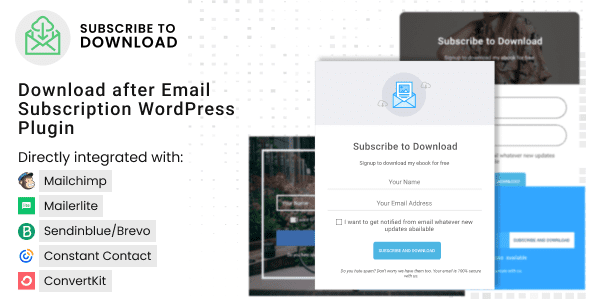
Subscribe to Download you are just few seconds away from collecting the subscribers from your WordPress site because creating and integrating a subscription form in any site is that easy with our plugin.
Premium WordPress Plugins. Join membership for Free Download
Download after Email Subscription WordPress Plugin makes it fast and easy to capture subscribers right from your WordPress site by simply providing them a freebies to download through email after successful subscription.
Product Description
- Product Type: OSS
- File: Complete
- Versions: Premium
- Usage: Unlimited Domain
- Licenses :
GNU General Public License (GPL) version 3. We recommend you to read this!
License
This is an Open source software (OSS) developed by third-party developers and redistributed by WpKitZone.com free of charge to all the subscribers of this website; you can use as it is or modify it, and/or redistribute it under the terms of the GNU General Public License as published by the Free Software Foundation; either version 3 of the License, or (at your option) any later version.
This OSS program is distributed in hope that it will be useful, but WITHOUT ANY WARRANTY; without even the implied warranty of MERCHANTABILITY or FITNESS FOR A PARTICULAR PURPOSE. See the GNU General Public License for more details.
You should have received a copy of the GNU General Public License along with this program; if not then write to the Free Software Foundation, Inc., 51 Franklin St, Fifth Floor, Boston, MA 02110-1301 USA. or use the link to download GNU License.
GNU General Public License (GPL) version 3 (#GNUGPL) (#GNUGPLv3)
This is the latest version of the GNU GPL: a free software license, and a copyleft license.
Subscribe To Download Features
- Unlimited Subscription Forms
- 20 Pre Designed Subscription Form Templates
- Encrypted download link
- Popup Subscription Form
- Delayed Subscription Form
- Email configurations
- Mailchimp and Constant Contact integrated
- Inbuilt Form Style Customizer
- Enable disable each form components
- Ajax Form Submission
- Subscribers CSV Export
- Backend Form Preview
- All device friendly and brower Compatibility
- Developer Documentation Available
- Dedicated Support
- Translation Ready
Changelog
History
ersion 2.1.0
Fixed security issues
Version 2.0.9
Integrated Constant Contact V3
Version 2.0.8
Fixed a minor issue on email settings section
Added #custom_fields support in the download notification email
Version 2.0.7
Added google reCaptcha v3 security
Version 2.0.6
* Replaced site_url() with home_url() to solve the WordPress directory issue
* Fixed the bug for IP address not being saved in database
* Layout reference image in the Form Settings section
* Third party subscription functionality modified to subscribe by default without needing to select the list in the general settings of the form
* Removed "Use Browser as Downloader" option
Version 2.0.5
Fixed backend js error causing the issue with plugin settings save
Version 2.0.4
 Added Convertkit subscription service
 Replaced normal textarea with wp_editor for double opt in confirmation message
 Added header and footer while displaying double opt in confirmation message
Version 2.0.3
Fixed download button link on encrypt download link disable
Added required option for GDPR Agreement Checkbox
Added note in subscribers export
Files To Download
| File | |
|---|---|
| subscribe-to-download_v2.0.9.zip |
- Version 2.0.9
- Release Date 12-05-2025
- License & Support BUY
- File Size 10.45 MB
- File Count 1
- Download 1
- Create Date 19-05-2025
- Last Updated 29-01-2026
Downloading Instruction
The Subscribe to Download 2.0.9 – Download after Email Subscription WordPress Plugin plugin can be downloded as a compressed file (zip, rar format).
File(s) you just downloaded can be uploaded directly to your server or WordPress, though some files may require extraction before installation. We ensure that all files are clean and safe, free from malware or viruses. Please remember that the downloaded file do not come with official support or updates. Using the official version is always recommended for security and stability.
Just click on the link (blue / green button in color) to download it to your computer.
How to install WordPress Plugin (Manually)
- Download the Subscribe to Download 2.0.9 – Download after Email Subscription WordPress Plugin files from our website
- From your WordPress dashboard, choose Plugins > Add New.
- Click Choose File, locate the plugin .zip file, then click Install Now.
- After the installation is complete, click Activate Plugin.
- Return to the WordPress dashboard and click the Installed Plugin. Find the plugins.
Disclaimer
- The item listed in memsuka.com listing is developed by third-party developer.
- We are not associated with nor is endorsed by any of the third party developers or trademark owners mentioned in this site. Any mention of these companies is merely for understanding of clients not misled as to the original source of the product.
- We do not offer any additional services from developers, such as product customization or license keys.
- We would always encourage clients to purchase direct from developer in case they are interested in premium plugin/theme related support & official updates.
- We are Ads free download services.
- The downloaded product:
- is intended for testing purposes only.
- 100% Free From Viruses & Free From Malware
- for Unlimited Use