

Iconic WooCommerce Quickview Premium 3.12.1
Mar
Iconic WooCommerce Quickview Premium 3.12.1
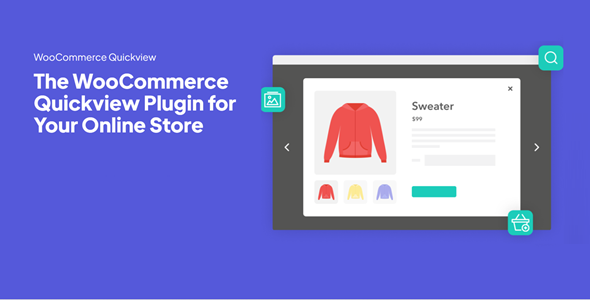
Iconic WooCommerce Quickview Premium speed up buying decisions by adding a product lightbox to the WooCommerce category and shop pages.
Let customers preview and add items to their cart from within the product lightbox.
Premium WordPress Plugins. Join membership for Free Download
Product Description
- Product Type: OSS
- File: Complete
- Versions: Premium
- Usage: Unlimited Domain
- Licenses :
GNU General Public License (GPL) version 3. We recommend you to read this!
License
This is an Open source software (OSS) developed by third-party developers and redistributed by WpKitZone.com free of charge to all the subscribers of this website; you can use as it is or modify it, and/or redistribute it under the terms of the GNU General Public License as published by the Free Software Foundation; either version 3 of the License, or (at your option) any later version.
This OSS program is distributed in hope that it will be useful, but WITHOUT ANY WARRANTY; without even the implied warranty of MERCHANTABILITY or FITNESS FOR A PARTICULAR PURPOSE. See the GNU General Public License for more details.
You should have received a copy of the GNU General Public License along with this program; if not then write to the Free Software Foundation, Inc., 51 Franklin St, Fifth Floor, Boston, MA 02110-1301 USA. or use the link to download GNU License.
GNU General Public License (GPL) version 3 (#GNUGPL) (#GNUGPLv3)
This is the latest version of the GNU GPL: a free software license, and a copyleft license.
Iconic WooCommerce Quickview Premium Features
- Display a quick view button on the category/shop pages, which opens a product preview lightbox so customers can buy products with fewer clicks.
- Customers can view and interact with product content before adding it to their cart, all within the quick view lightbox
- Get full control over what appears within the WooCommerce quick view lightbox by easily adding, or removing content like the product description, title, price, and much more.
- Customize the product image gallery by picking transitions, navigation style, thumbnail type, and speed.
- Give customers a tailored preview of your products and as a result, you’ll reduce overwhelm and increase sales.
- Allow customers to browse through your products while the quick view lightbox is open
- Showcase more of your products with user-friendly navigation and increase the chance of an additional sale.
- Have the quick view lightbox open when the customer clicks or hovers over the button
- Or have the button hidden and only show when a customer hovers over the product
- Completely customize how the button looks
- Change its position, alignment, and spacing for a cleaner user experience.
- Add a WooCommerce quick view button to any page or post within your site using a shortcode
- Website visitors can click, preview and purchase products from within the quick view button lightbox, optimizing your whole store for sales.
Changelog
History
v3.12.1 (28 Feb 2025)[update] Updated dependencies and added more safety checks to telemetry opt-ins/opt-outs
v3.12.0 (19 Feb 2025)[update] Licensing.
v3.11.0 (19 Nov 2024)[update] Allow button shortcode to work without the product_id argument
v3.10.0 (11 Jun 2024)[fix] Resolved modal compatibility issue with Show Single Variations
v3.9.0 (11 Apr 2024)[update] Compatibility with shop/loop blocks.[update] Added additional validation for shortcodes and blocks.[update] Telemetry now shares a dependency injection container with other Iconic products for performance.
v3.8.0 (6 Feb 2024)[fix] fatal error in the admin screen caused by initialising settings before container is initialised[fix] Issue where quantity field doesn't appear on the QV popup
v3.7.2 (15 Dec 2023)[update] Iconic Dependencies
v3.7.1 (31 Aug 2023)[fix] Fix license validation issues and type errors
Files To Download
| File | |
|---|---|
| iconic-woo-quickview_v3_12_1.zip |
- Version 3.12.1
- Release Date 28-02-2025
- License & Support BUY
- File Size 0.00 KB
- File Count 1
- Download 1
- Create Date 01-03-2025
- Last Updated 15-02-2026
Downloading Instruction
The Iconic WooCommerce Quickview Premium 3.12.1 plugin can be downloded as a compressed file (zip, rar format).
File(s) you just downloaded can be uploaded directly to your server or WordPress, though some files may require extraction before installation. We ensure that all files are clean and safe, free from malware or viruses. Please remember that the downloaded file do not come with official support or updates. Using the official version is always recommended for security and stability.
Just click on the link (blue / green button in color) to download it to your computer.
How to install WordPress Plugin (Manually)
- Download the Iconic WooCommerce Quickview Premium 3.12.1 files from our website
- From your WordPress dashboard, choose Plugins > Add New.
- Click Choose File, locate the plugin .zip file, then click Install Now.
- After the installation is complete, click Activate Plugin.
- Return to the WordPress dashboard and click the Installed Plugin. Find the plugins.
Disclaimer
- The item listed in memsuka.com listing is developed by third-party developer.
- We are not associated with nor is endorsed by any of the third party developers or trademark owners mentioned in this site. Any mention of these companies is merely for understanding of clients not misled as to the original source of the product.
- We do not offer any additional services from developers, such as product customization or license keys.
- We would always encourage clients to purchase direct from developer in case they are interested in premium plugin/theme related support & official updates.
- We are Ads free download services.
- The downloaded product:
- is intended for testing purposes only.
- 100% Free From Viruses & Free From Malware
- for Unlimited Use
