

YITH WooCommerce Checkout Manager 1.53.0
Mar
YITH WooCommerce Checkout Manager 1.53.0
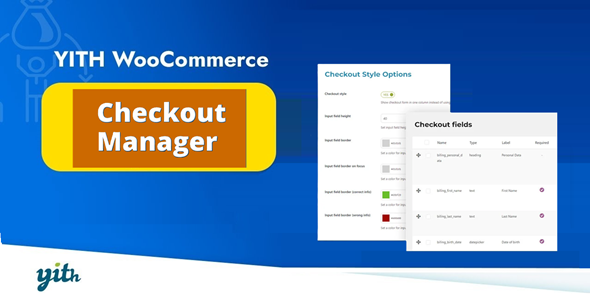
YITH WooCommerce Checkout Manager allows you to make an advanced and powerful customization of your checkout page
Premium WordPress Plugins. Join membership for Free Download
Product Description
- Product Type: OSS
- File: Complete
- Versions: Premium
- Usage: Unlimited Domain
- Licenses :
GNU General Public License (GPL) version 3. We recommend you to read this!
License
This is an Open source software (OSS) developed by third-party developers and redistributed by WpKitZone.com free of charge to all the subscribers of this website; you can use as it is or modify it, and/or redistribute it under the terms of the GNU General Public License as published by the Free Software Foundation; either version 3 of the License, or (at your option) any later version.
This OSS program is distributed in hope that it will be useful, but WITHOUT ANY WARRANTY; without even the implied warranty of MERCHANTABILITY or FITNESS FOR A PARTICULAR PURPOSE. See the GNU General Public License for more details.
You should have received a copy of the GNU General Public License along with this program; if not then write to the Free Software Foundation, Inc., 51 Franklin St, Fifth Floor, Boston, MA 02110-1301 USA. or use the link to download GNU License.
GNU General Public License (GPL) version 3 (#GNUGPL) (#GNUGPLv3)
This is the latest version of the GNU GPL: a free software license, and a copyleft license.
YITH WooCommerce Checkout Manager Features
- Customize the shipping, billing and additional notes fields
- Create different types of custom fields, such as text or multiple-choice
- Choose colors, labels and the tooltip to display for the checkout fields
- Enable Javascript Field Validation in order to display mandatory fields
- Use the drag-and-drop system to move the fields wherever you want
- Choose whether you want the checkout to be arranged in a single row rather than two (as set by default on WooCommerce)
- Conditional fields: show or hide checkout fields based on products/categories in cart and/or what has been selected in other checkout fields
Changelog
History
=== Version 1.29.0 === Released on 18 Jul 2023
- New: support for WooCommerce 7.9
- Update: YITH plugin framework
- Tweak: add support for email subaddressing
- Fix: minor bugs
=== Version 1.28.0 === Released on 22 Jun 2023
- New: support for WooCommerce 7.8
- New: HPOS support
- Update: YITH plugin framework
- Fix: plugin author name
- Fix: minor bugs
=== Version 1.27.0 === Released on 17 May 2023
- New: support for WooCommerce 7.7
- Update: YITH plugin framework
- Fix: minor bugs
=== Version 1.26.0 === Released on 19 Apr 2023
- New: support for WooCommerce 7.6
- Update: YITH plugin framework
- Fix: minor bugs
=== Version 1.25.0 === Released on 21 Mar 2023
- New: support for WordPress 6.2
- New: support for WooCommerce 7.5
- Update: YITH plugin framework
- Dev: filter the date formats only for this plugin
- Fix: minor bugs
=== Version 1.24.0 === Released on 21 Feb 2023
- New: support for WooCommerce 7.4
- Update: YITH plugin framework
- Tweak: prevent fatal error unset a non-array variable
- Fix: minor bugs
Files To Download
| File | |
|---|---|
| yith-woocommerce-checkout-manager_v1_29_0.zip |
- Version 1.29.0
- Release Date 18-07-2023
- License & Support BUY
- File Size 2.23 mB
- File Count 1
- Download 11
- Create Date 06-03-2025
- Last Updated 15-02-2026
Downloading Instruction
The YITH WooCommerce Checkout Manager 1.53.0 plugin can be downloded as a compressed file (zip, rar format).
File(s) you just downloaded can be uploaded directly to your server or WordPress, though some files may require extraction before installation. We ensure that all files are clean and safe, free from malware or viruses. Please remember that the downloaded file do not come with official support or updates. Using the official version is always recommended for security and stability.
Just click on the link (blue / green button in color) to download it to your computer.
How to install WordPress Plugin (Manually)
- Download the YITH WooCommerce Checkout Manager 1.53.0 files from our website
- From your WordPress dashboard, choose Plugins > Add New.
- Click Choose File, locate the plugin .zip file, then click Install Now.
- After the installation is complete, click Activate Plugin.
- Return to the WordPress dashboard and click the Installed Plugin. Find the plugins.
Disclaimer
- The item listed in memsuka.com listing is developed by third-party developer.
- We are not associated with nor is endorsed by any of the third party developers or trademark owners mentioned in this site. Any mention of these companies is merely for understanding of clients not misled as to the original source of the product.
- We do not offer any additional services from developers, such as product customization or license keys.
- We would always encourage clients to purchase direct from developer in case they are interested in premium plugin/theme related support & official updates.
- We are Ads free download services.
- The downloaded product:
- is intended for testing purposes only.
- 100% Free From Viruses & Free From Malware
- for Unlimited Use
